Stac' mobile app.
Stac' mobile app.
Stac' mobile app.
Industry: Fintech
Industry: Fintech
Industry: Fintech
I explored this concept design to solve the problem of moving around with physical debit or credit cards, and having your card details safely stored wherever you are without your cards.
I explored this concept design to solve the problem of moving around with physical debit or credit cards, and having your card details safely stored wherever you are without your cards.
I explored this concept design to solve the problem of moving around with physical debit or credit cards, and having your card details safely stored wherever you are without your cards.
Overview
Overview
Stac is a concept wallet app designed to simplify card management in an increasingly digital world. It brings together virtual and physical cards in one secure, minimal interface; helping users stay organized, save time, and feel confident about how they manage their finances.
Stac is a concept wallet app designed to simplify card management in an increasingly digital world. It brings together virtual and physical cards in one secure, minimal interface; helping users stay organized, save time, and feel confident about how they manage their finances.
The problems
The problems
The problems
Fragmented card management
Fragmented card management
Most people today use multiple cards from different banks or services. Switching between apps just to access them creates friction and makes everyday payments unnecessarily complex.
Most people today use multiple cards from different banks or services. Switching between apps just to access them creates friction and makes everyday payments unnecessarily complex.
Security concerns with virtual cards
Security concerns with virtual cards
Screenshots and third-party storage options have become common shortcuts for users trying to keep their card details handy. But these shortcuts compromise security and increase the risk of exposure.
Screenshots and third-party storage options have become common shortcuts for users trying to keep their card details handy. But these shortcuts compromise security and increase the risk of exposure.
Screenshots and third-party storage options have become common shortcuts for users trying to keep their card details handy. But these shortcuts compromise security and increase the risk of exposure.
No safe space for physical cards
No safe space for physical cards
While many wallet apps allow users to store virtual cards, very few give the option to digitize physical transaction cards. Users still carry multiple physical cards that could easily get misplaced, stolen, or damaged.
While many wallet apps allow users to store virtual cards, very few give the option to digitize physical transaction cards. Users still carry multiple physical cards that could easily get misplaced, stolen, or damaged.
While many wallet apps allow users to store virtual cards, very few give the option to digitize physical transaction cards. Users still carry multiple physical cards that could easily get misplaced, stolen, or damaged.
Stac was built around a simple idea: to make managing your cards feel easy and secure. Whether it’s a virtual or physical card, everything lives safely in one clean, organized space that feels calm to use.
Stac was built around a simple idea: to make managing your cards feel easy and secure. Whether it’s a virtual or physical card, everything lives safely in one clean, organized space that feels calm to use.
Tackling the problems
Tackling the problems
Tackling the problems
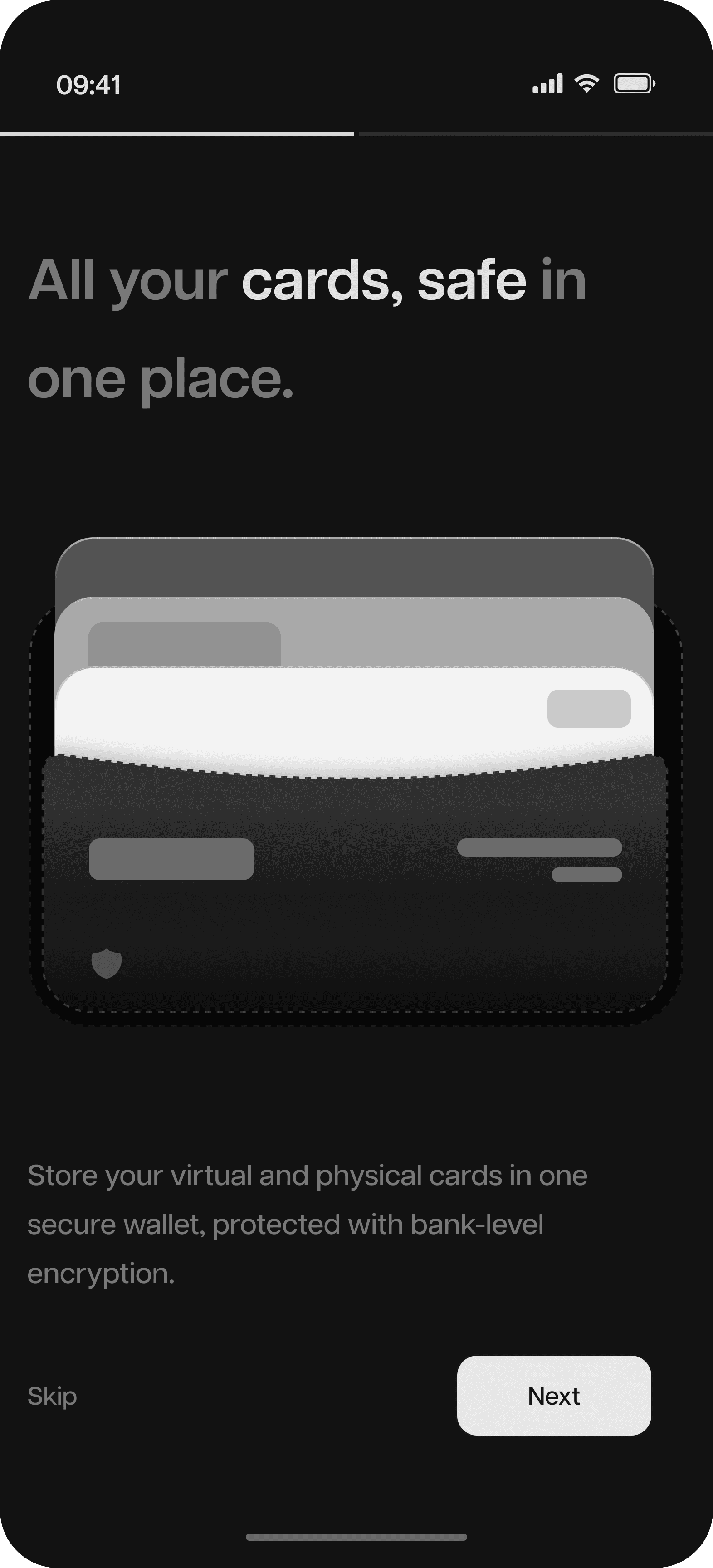
All Cards, One Wallet
All Cards, One Wallet
Stac offers users a digital vault for every type of card; debit, credit, prepaid, or even loyalty and transit cards. You can manually add your details or scan your physical cards for quick setup.
Stac offers users a digital vault for every type of card; debit, credit, prepaid, or even loyalty and transit cards. You can manually add your details or scan your physical cards for quick setup.
Stac offers users a digital vault for every type of card; debit, credit, prepaid, or even loyalty and transit cards. You can manually add your details or scan your physical cards for quick setup.
Strong Security, Simple Experience
Strong Security, Simple Experience
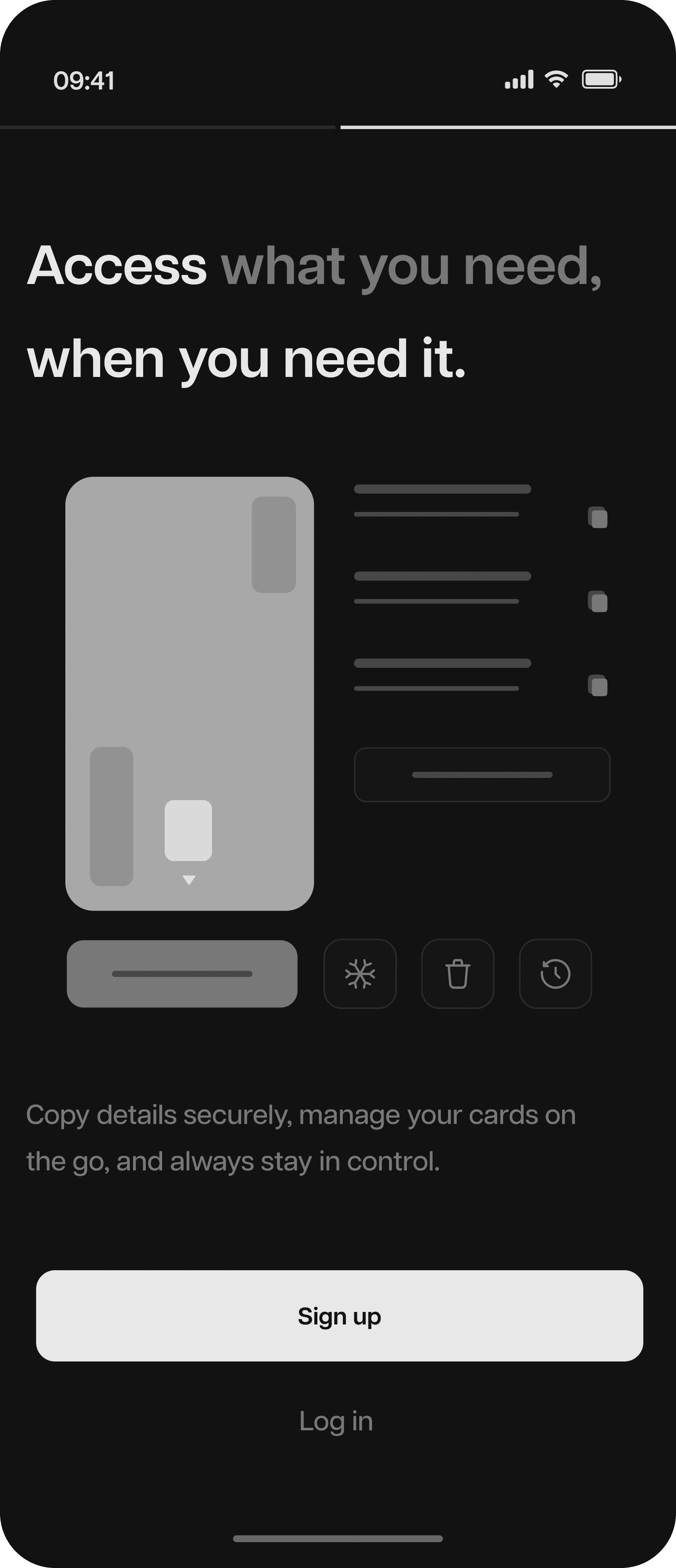
Stac keeps things safe without making them complicated. You can choose to unlock with Face ID or your fingerprint, and all card data stays encrypted in the background.
Stac keeps things safe without making them complicated. You can choose to unlock with Face ID or your fingerprint, and all card data stays encrypted in the background.
Stac keeps things safe without making them complicated. You can choose to unlock with Face ID or your fingerprint, and all card data stays encrypted in the background.
Seamless Scanning
Seamless Scanning
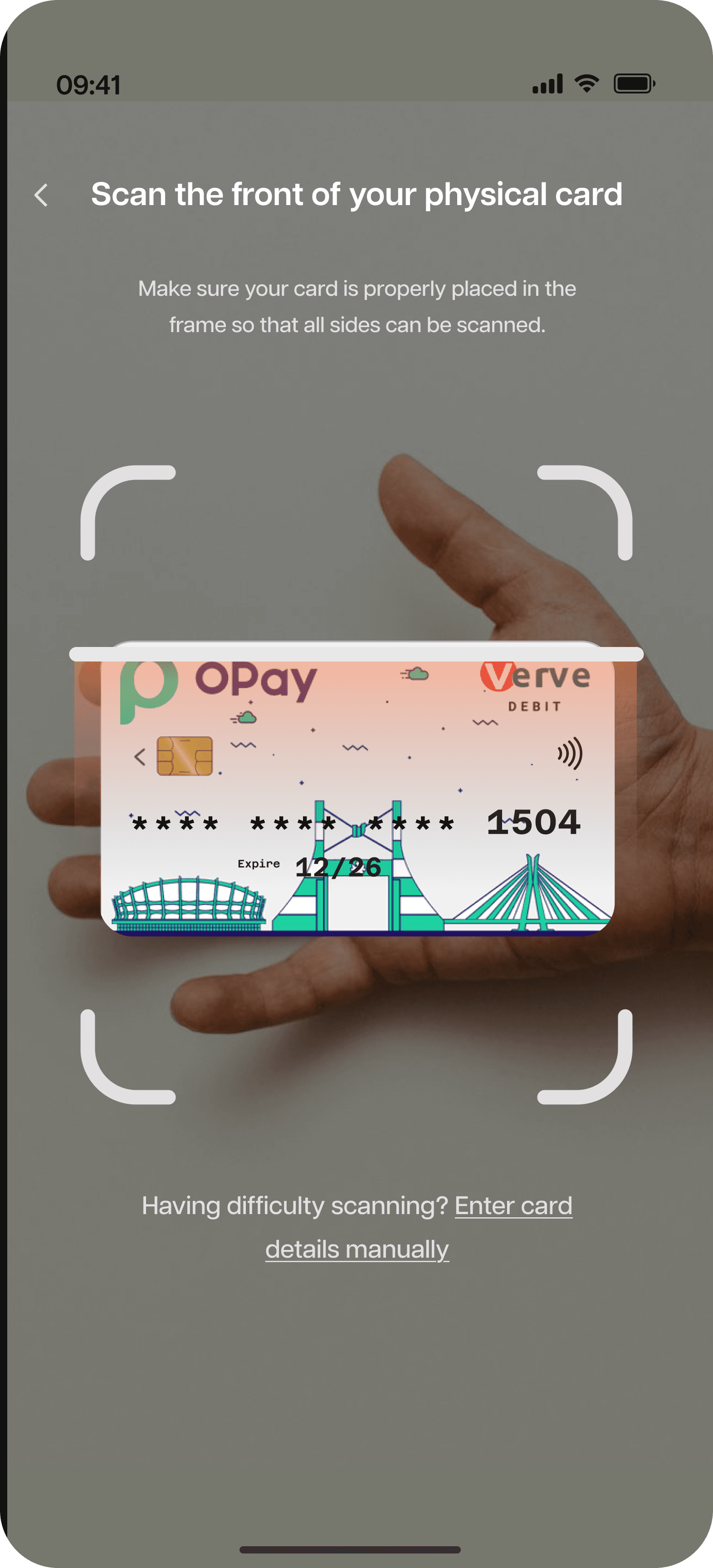
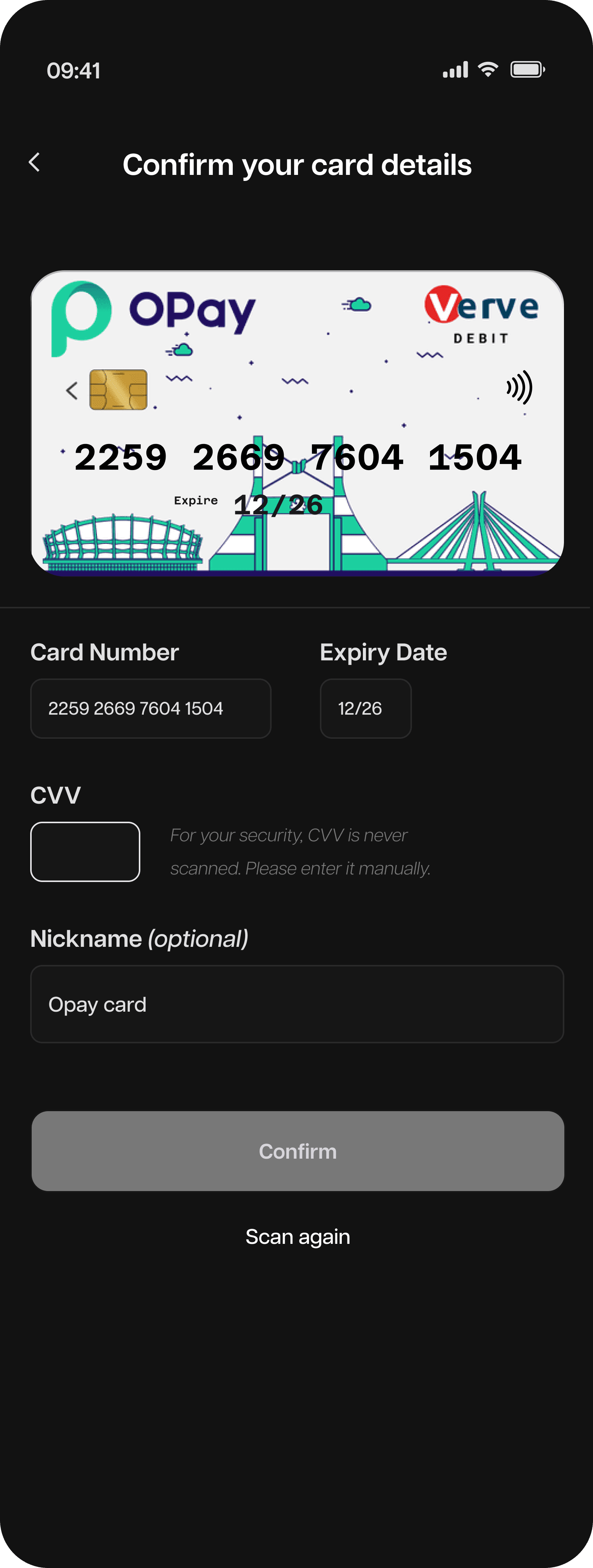
Physical cards can be scanned using the camera. The app automatically captures essential data like card number, expiry date, and network type (Visa, MasterCard, etc.). Users can then verify or manually input the cardholder name if it’s not embossed or visible.
Physical cards can be scanned using the camera. The app automatically captures essential data like card number, expiry date, and network type (Visa, MasterCard, etc.). Users can then verify or manually input the cardholder name if it’s not embossed or visible.
Physical cards can be scanned using the camera. The app automatically captures essential data like card number, expiry date, and network type (Visa, MasterCard, etc.). Users can then verify or manually input the cardholder name if it’s not embossed or visible.
User flow
User flow
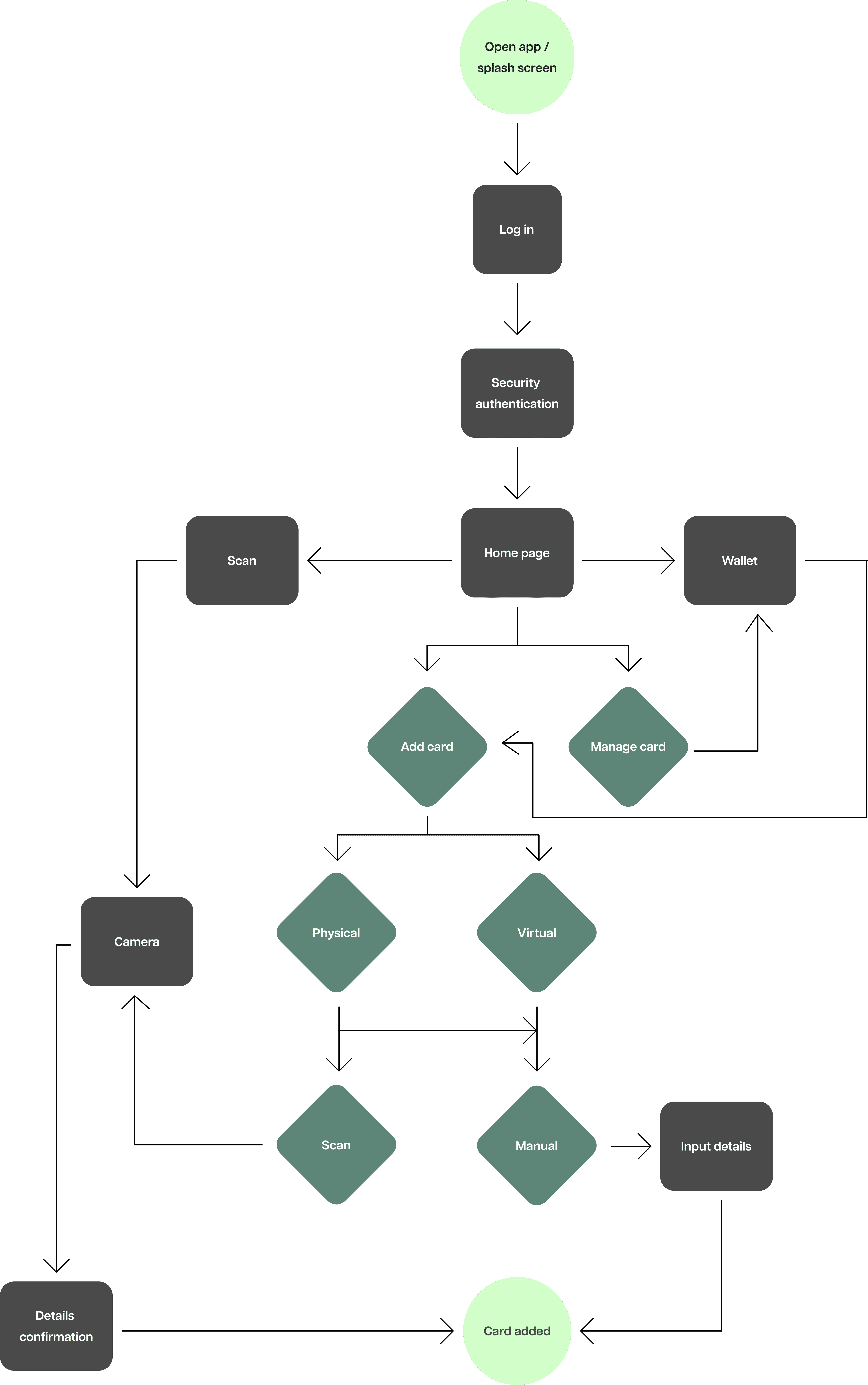
Defining the user flow
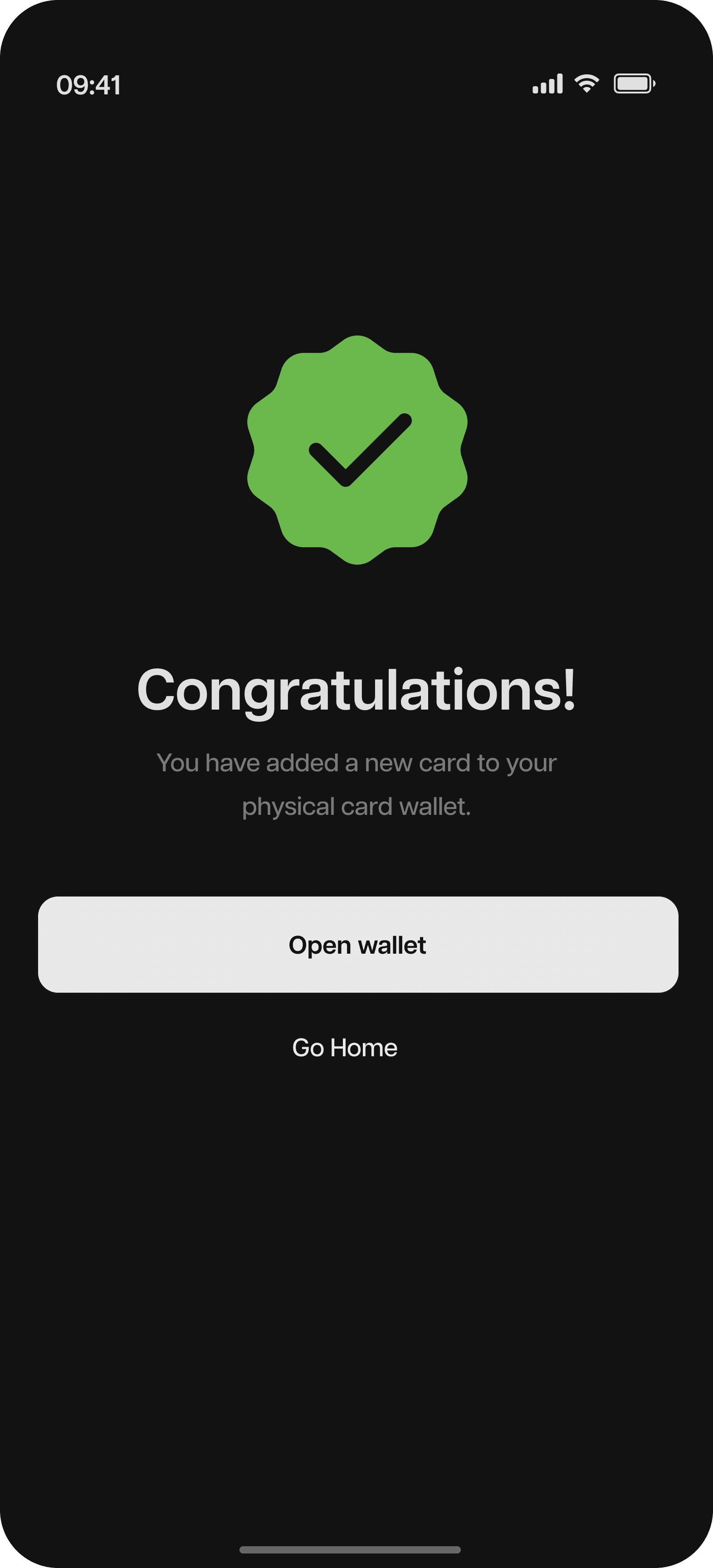
The flow was designed to feel effortless from start to finish. From onboarding to adding a card, every step keeps things simple and clear. Users can log in, scan or manually add a card, organize it, and secure it, all in less than a minute.
Wireframes
Wireframes
Wireframes
Building the idea
Building the idea
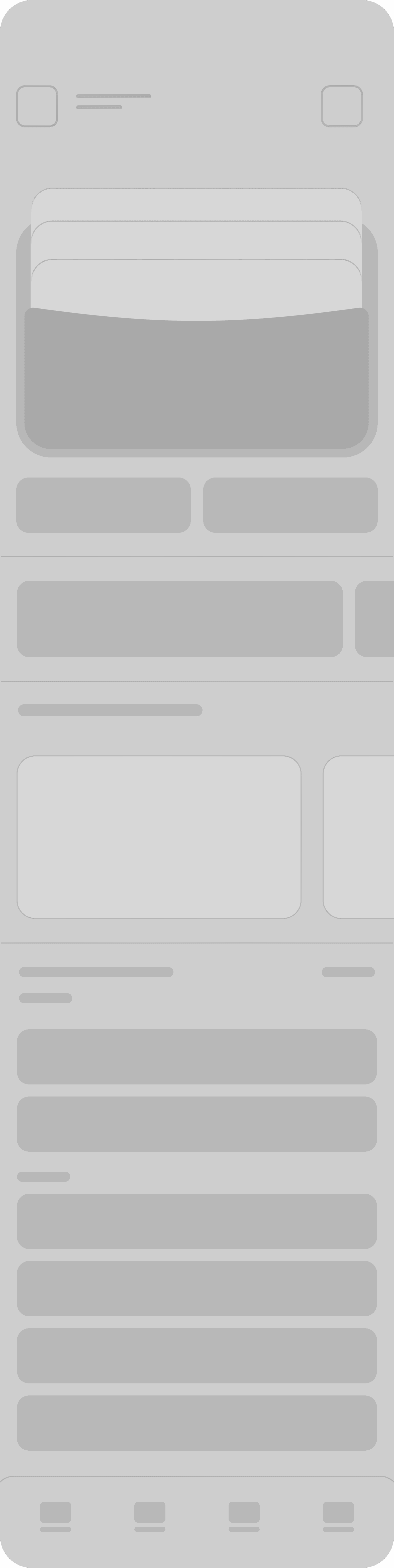
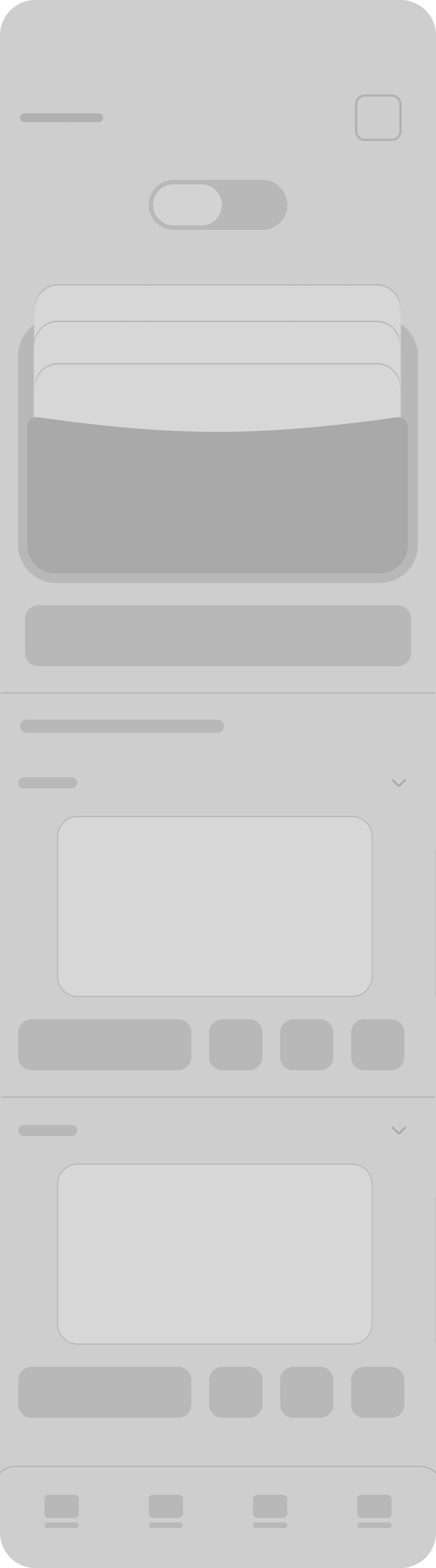
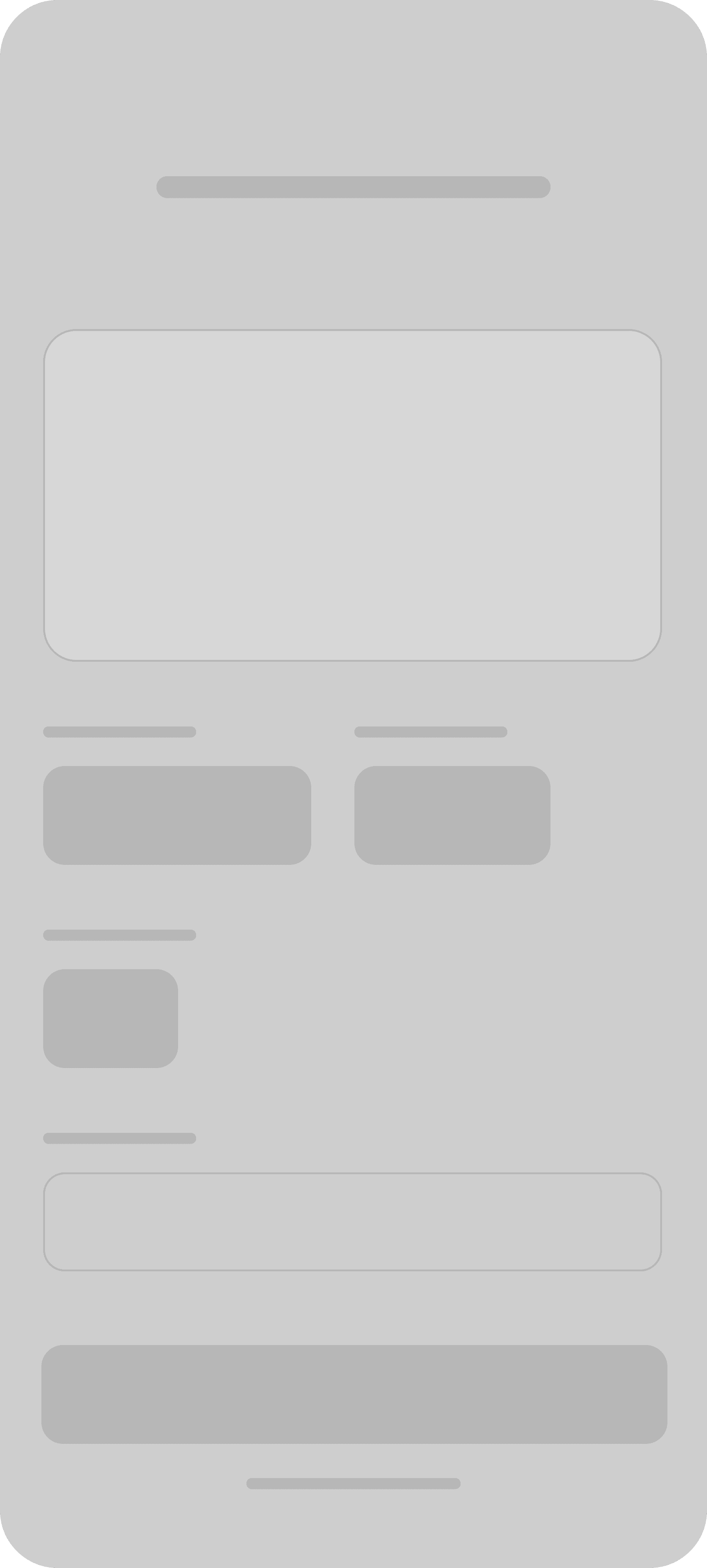
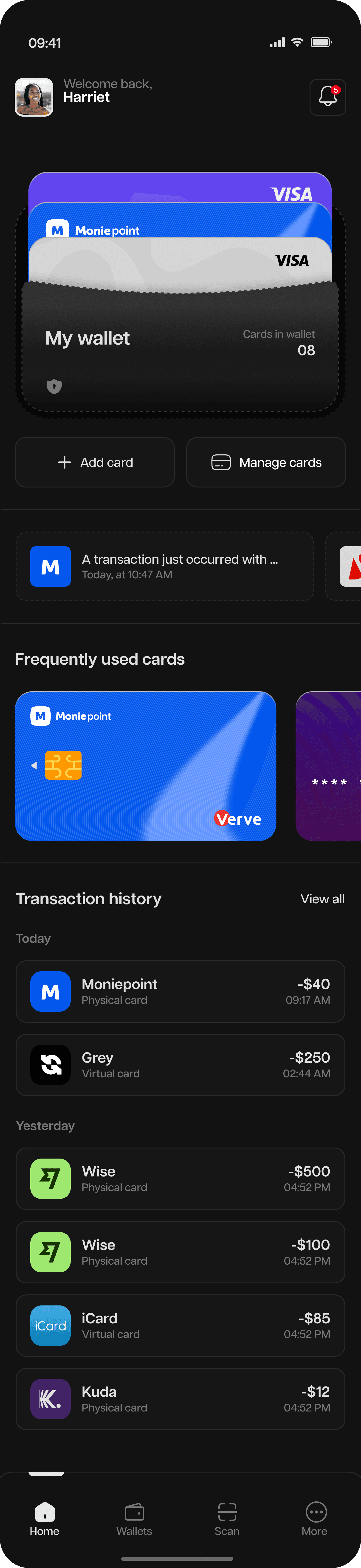
Early wireframes focused on hierarchy in needs, ensuring primary actions like “Add Card” and “Manage card” were easily accessible.
Early wireframes focused on hierarchy in needs, ensuring primary actions like “Add Card” and “Manage card” were easily accessible.
Onboarding
Onboarding

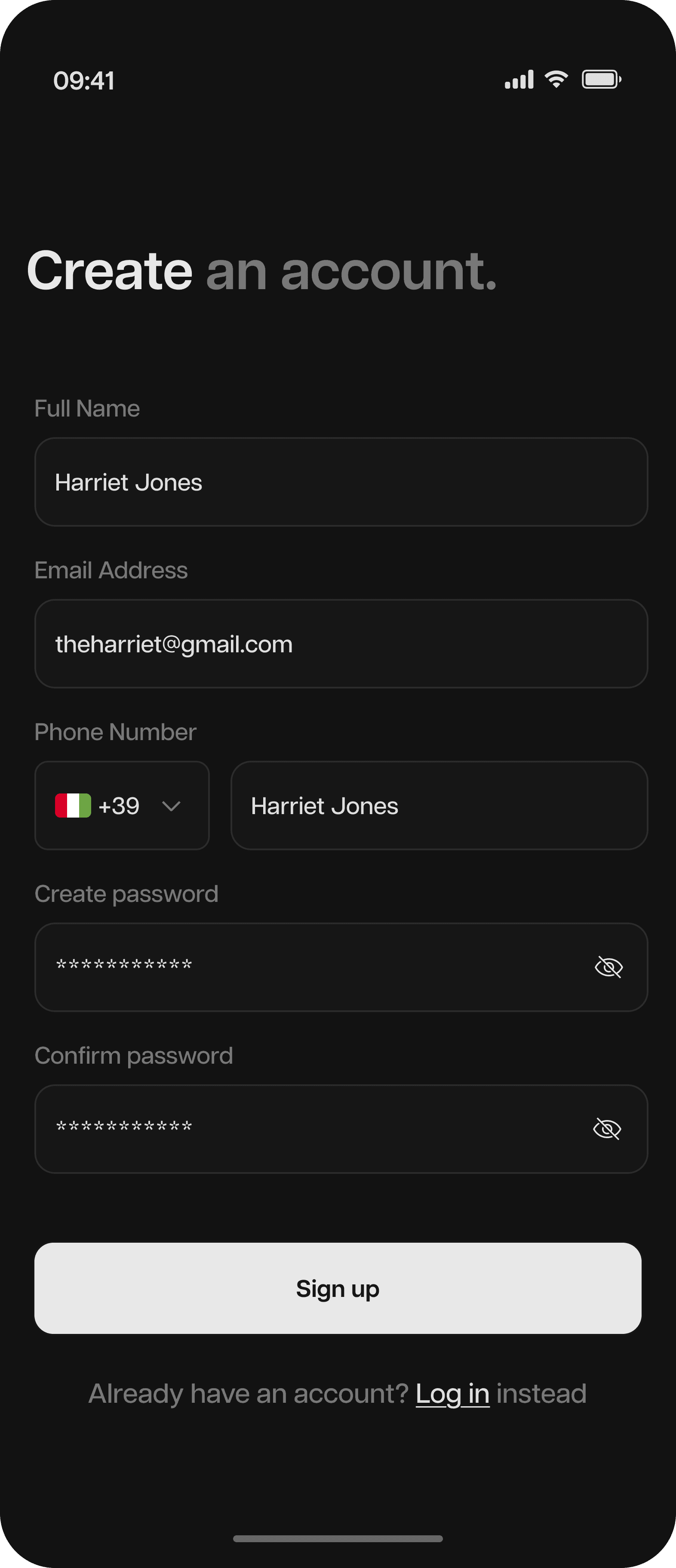
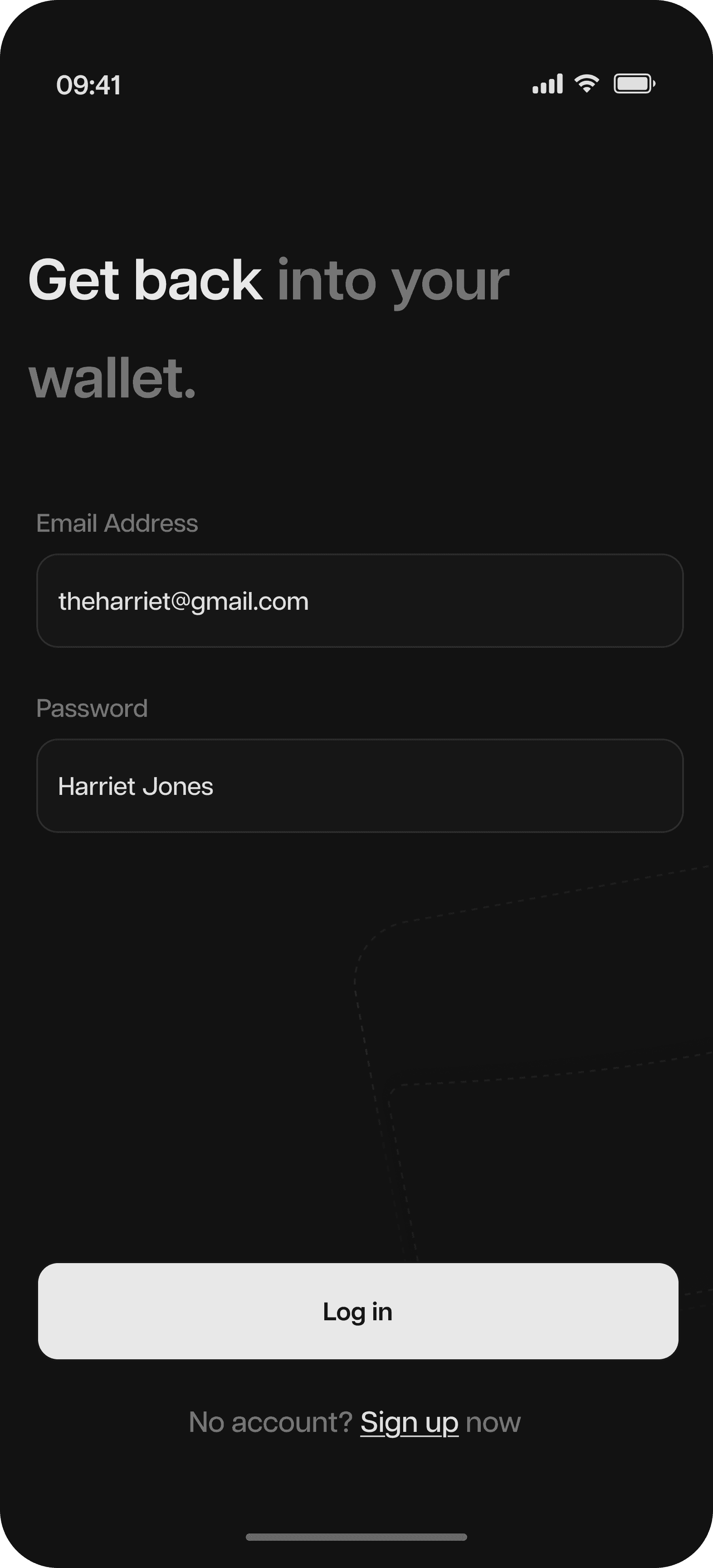
Sign up & log in
Sign up & log in


Home
Home
Wallet
Wallet
Scan
Scan


Visuals
Visuals
Visuals
Colors
Colors
I chose a dark mode theme for this project, not just because it’s popular, but because it offers a more comfortable visual experience. It reduces eye strain and makes the app easier to use for longer periods, without users having to worry about their eyesight every time they open it.
I chose a dark mode theme for this project, not just because it’s popular, but because it offers a more comfortable visual experience. It reduces eye strain and makes the app easier to use for longer periods, without users having to worry about their eyesight every time they open it.
#121212 was used for the background color
#121212 was used for the background color
#161616 was used for container backgrounds, secondary CTAs, and form fields
#161616 was used for container backgrounds, secondary CTAs, and form fields
#2A2A2A was used for borders, strokes and dividers
#2A2A2A was used for borders, strokes and dividers
#787878 was used for inactive states
#787878 was used for inactive states
#E0E0E0 was used as white throughout the entire app
#E0E0E0 was used as white throughout the entire app
Typography
Typography
I decided to use a single typeface across all screens to maintain a modern, minimalist feel and ensure users can easily read and focus on what matters.
I decided to use a single typeface across all screens to maintain a modern, minimalist feel and ensure users can easily read and focus on what matters.
Microinteractions
Microinteractions
I made some microinteractions with Jitter, and prototyped others on Figma. These interactions make the experience tactile and delightful without distracting from the core function.
I made some microinteractions with Jitter, and prototyped others on Figma. These interactions make the experience tactile and delightful without distracting from the core function.
High fidelity designs
High fidelity designs
I made some microinteractions with Jitter, and prototyped others on Figma. These interactions make the experience tactile and delightful without distracting from the core function.
I made some microinteractions with Jitter, and prototyped others on Figma. These interactions make the experience tactile and delightful without distracting from the core function.
Splash & onboarding
Splash & onboarding

Sign up & log in
Sign up & log in
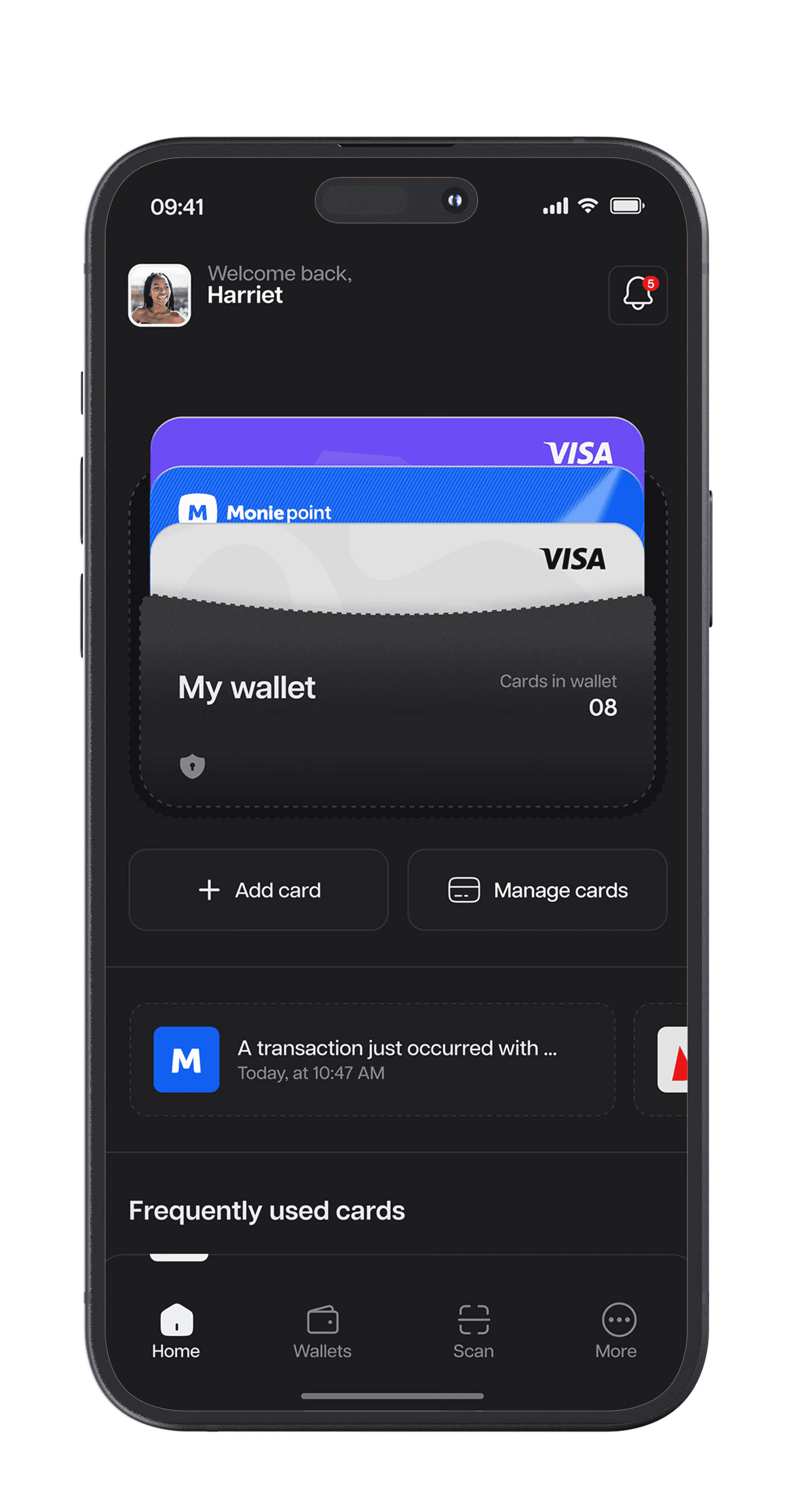
Home
Home
Wallet
Wallet

Scan
Scan
User flow
Defining the user flow
The flow was designed to feel effortless from start to finish. From onboarding to adding a card, every step keeps things simple and clear. Users can log in, scan or manually add a card, organize it, and secure it, all in less than a minute.
You can drag the image around to see the flow.
Back

Abuja, Nigeria
07:32
ONYEM